AI TOOL / #03966
OneClick AI
OneClick AI simplifies workflows by allowing users to extract and summarize content with just one click.
Introduction
OneClick AI streamlines workflows by extracting and summarizing content with a single click.
What is the OneClick AI Chrome extension/plugin?
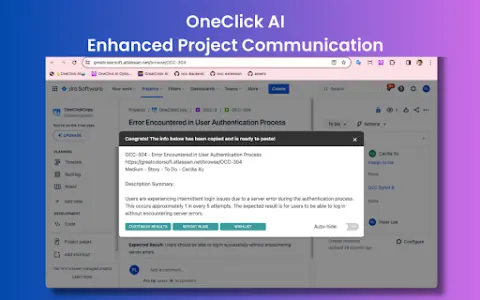
OneClick AI is a tool designed to streamline workflows by enabling one-click extraction and summarization of content. It enhances productivity in areas such as project management, cross-team collaboration, personal research, and information sharing. The tool allows users to customize the appearance of the results, and all extracted data is immediately copied to the clipboard for further use.
How to use the OneClick AI Chrome extension/plug-in?
You can activate OneClick AI by clicking on the expansion icon in the toolbar, right-clicking to open the context menu, pressing the shortcut key, or right-clicking on the expansion icon in the toolbar.
The core functionality of the OneClick AI Chrome extension/plug-in
One-click extraction and summarization of content
Multilingual summary
The result is automatically copied to the clipboard.
Multilingual summary
The result is automatically copied to the clipboard.
Related
Salad – GPU Cloud
Distributed GPU cloud provides affordable and scalable computing resources for AI/ML workloads.
DAWN
An educational technology platform that utilizes artificial intelligence and blockchain technologies aims to make learning opportunities as well as employment prospects more accessible to everyone.
Trupeer – AI Screen Recorder For Stunning Product Demos and Guides
An AI-powered platform that makes it easy to create training videos, guides, and tutorials.
Diaflow
An intelligent platform for rapidly building custom internal applications and generative AI tools.
Ask Screenshot for ChatGPT
Improve ChatGPT productivity by analyzing screenshots and selected text.
Noiz
AI-based YouTube video summarization tool for refining key points and efficient learning.