AI TOOL / #06135
Ask Screenshot for ChatGPT
Improve ChatGPT productivity by analyzing screenshots and selected text.
Introduction
Enhances ChatGPT productivity by analyzing screenshots and selected text.
What is the Ask Screenshot AI Chrome extension/plugin?
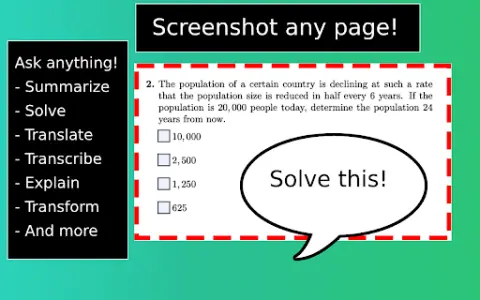
Ask Screenshot is a tool designed to improve productivity in ChatGPT, allowing users to analyze screenshots or selected text directly within ChatGPT. It offers features such as summarization, transcription, and translation, making it easier to extract information and process content from visual and textual sources.
How do I use the Ask Screenshot AI Chrome extension/plugin?
To use Ask Screenshot, right-click anywhere on any page and hover over Ask GPT to access the available screenshot templates. For selected text, right-click the selected text and hover over Ask GPT to view the available templates.
Core features of the Ask Screenshot AI Chrome extension/plugin
Screenshot and analyze: Take a screenshot and automatically open it in ChatGPT for analysis.
Text selection and analysis: Right-click any selected text to automatically open it in ChatGPT.
Related
Roast AI
An AI-powered website using GPT-4V(ision) to complain about your photos.
aitubo.ai
Aitubo is an AI-based art generator that is capable of creating various forms of art.
MyGirl—Your AI Girlfriend
An AI-powered chatbot for female friends, offering interactive and unrestricted virtual relationships.
AI Photo Generator | Photo AI
An AI photo and video generator for creating realistic human content.
AI Dating Bio Generator
An AI-powered generator for creating descriptions of dating apps, suitable for use with Tinder, Bumble, and Match.
MatchPhotos
MatchPhotos uses AI to generat...