AI TOOL / #07466
Reverse image search by Copyseeker
Copyseeker image search offers advanced image-search capabilities with just a simple right-click operation.
Introduction
Copyseeker Image Search provides advanced image search capabilities through a simple right-click.
What is the Copyseeker Image Search AI Chrome extension/plug-in?
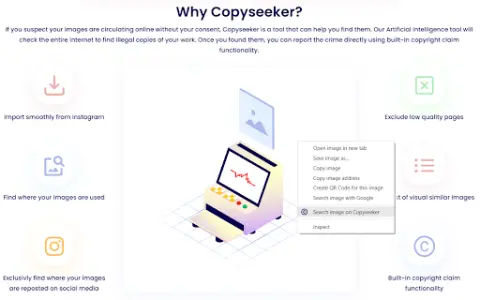
Copyseeker Image Search is a tool designed to enhance the browsing experience by offering advanced image-search capabilities. Users can right-click on any image and select “Search for this image in Copyseeker” to have the image analyzed and obtain detailed information about it.
How to use the Copyseeker Image Search AI Chrome extension/plug-in?
When browsing web pages, right-click on any image and select the option “Search for this image on Copyseeker”. Afterwards, Copyseeker will analyze the image and provide detailed information regarding it.
The core functionality of the Copyseeker Image Search AI Chrome extension/plug-in
Search for images with just one right-click.
Advanced Image Analysis
Fast and efficient results
Privacy-conscious image search
Advanced Image Analysis
Fast and efficient results
Privacy-conscious image search
Related
FYRAN
A tool that enables the creation of AI chatbots capable of utilizing digital avatars as well as various input formats.
Kokkatoo
Tools based on artificial intelligence, used for summarizing and listening to content in any language.
Ausum
A Chrome extension that allows for the instant generation of audio summaries of articles.
TheStoryGPT
A platform for creating and sharing interactive, AI-driven audio stories.
Copyter
An all-in-one AI tool for generating text, speech, images, and video.
AI Voiceover for Video Creators
An AI dubbing tool that enables accurate text-to-speech conversion, specifically designed for video creators.