AI TOOL / #07166
GetSearchablePDF
Use OCR technology to convert PDF files into searchable documents.
Introduction
Converts PDFs to searchable documents using OCR.
What is GetSearchablePDF?
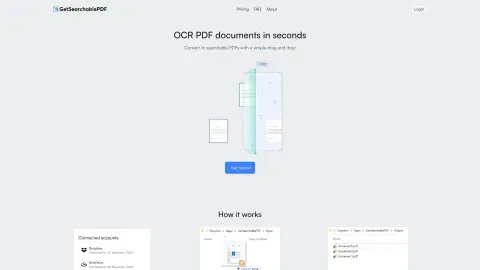
GetSearchablePDF is a service that converts PDF documents into searchable formats by utilizing OCR (Optical Character Recognition) technology. It enables users to transform scanned documents, screenshots, handwritten text, and photos into searchable files. The service places emphasis on ease of use, accuracy, and security; after processing, the files are automatically deleted within 10 minutes. It offers a subscription-based pricing model and also provides a free trial that includes 10 credits.
How to use GetSearchablePDF?
1. Connect your Dropbox or OneDrive account.
2. Drag and drop the PDF file into the input folder (or copy and paste it there).
3. Obtain a searchable PDF file!
2. Drag and drop the PDF file into the input folder (or copy and paste it there).
3. Obtain a searchable PDF file!
The core functionality of GetSearchablePDF
First-class OCR accuracy
Secure file processing (files are automatically deleted after 10 minutes).
Supports handwritten text.
Convert scanned PDF files, screenshots, handwritten text, and photos.
Secure file processing (files are automatically deleted after 10 minutes).
Supports handwritten text.
Convert scanned PDF files, screenshots, handwritten text, and photos.
Related
Raily
A travel dating app designed for train travelers, featuring AI, AR, and gamification elements.
Charm Check
AI-powered dating profile assessment to help you get better matches.
AI Chatbot Support
Multi-platform AI & live chat ...
KeyAI
A real-time chat and chatbot platform for enterprise customer support and team collaboration.
ChatRealtor
A chatbot designed for real estate agents, used to interact with potential clients and arrange appointments.
Constitución.ai
Dialogue-based artificial intelligence uses WhatsApp and AI interfaces to simplify the process of drafting Chile’s proposed constitution.