AI TOOL / #06724
MeetGeek: AI meeting summaries and transcription
Intelligent meeting assistant – enables automatic note-taking and enhances collaboration.
Introduction
AI-powered meeting assistant for automated note-taking and enhanced collaboration.
What is the MeetGeek AI Chrome extension/plug-in?
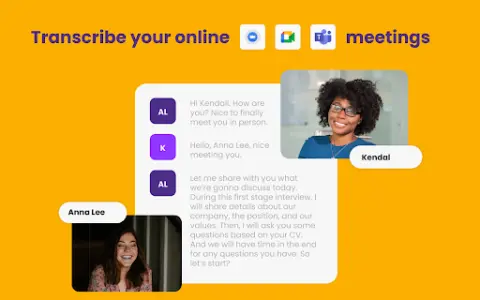
MeetGeek is an artificial intelligence-powered tool designed to enhance the experience of online meetings by automatically taking notes. It integrates seamlessly with platforms such as Zoom, Google Meet, and Microsoft Teams, offering features like automatic follow-up actions, in-depth analysis, detailed AI-generated transcripts and summaries, customized automation options, as well as seamless sharing and collaboration capabilities.
How to use the MeetGeek AI Chrome extension/plug-in?
To use MeetGeek, download the Chrome extension, add it to your browser, and then log in or create an account. Once that is done, the recording assistant will automatically join your meetings. You can customize the meeting settings, invite the recording assistant to participate in the calls, and view the meeting recordings as well as pause/resume the recording process through the control panel.
The core functions of the MeetGeek AI Chrome extension/plug-in
Automatically record notes
Transcriptions and summaries generated by AI
Automatic follow-up
In-depth analysis
Customized automation achieved through Zapier integration.
Seamless sharing and collaboration
Transcriptions and summaries generated by AI
Automatic follow-up
In-depth analysis
Customized automation achieved through Zapier integration.
Seamless sharing and collaboration
Related
LibraryThing
Personal Book Collection Management and Book Exchange Community
Wikibooks Chinese
Chinese Open Access Digital Library of Literature
Medium
Community for independent authors to publish their content
BookSeriesInOrder
Website for querying the reading sequence of a series of books
The Rumpus
Independent literary and artistic website
Digital Book Index
Digital Book Indexing Website