AI TOOL / #06677
Voice Control for Netflix
Use voice control to operate Netflix: play, pause, fast-forward, and more.
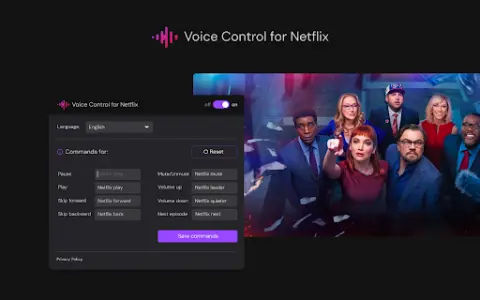
Introduction
Control Netflix with your voice: play, pause, fast-forward, and more.
What is the Voice Control for Netflix AI Chrome extension/plugin?
Netflix’s voice control allows users to manage their Netflix experience via voice commands. This includes tasks such as playing, pausing, and advancing videos, all without the need to use a remote control or touch the screen.
How to use the Voice Control feature for the Netflix AI Chrome extension/plug-in?
Simply enable Netflix’s voice control, and then use voice commands to control playback, navigate the menu, and search for content.
The core functionality of the Netflix AI Chrome extension/plugin for voice control
Use voice control to operate Netflix playback functions (play, pause, fast forward, rewind).
Hands-free navigation, Netflix menu
Voice search for films and TV shows
Hands-free navigation, Netflix menu
Voice search for films and TV shows
Related
Recap: Smart Split and Summarize with ChatGPT
An open-source browser extension that uses ChatGPT to summarize web page text.
Flomo Quick Save 2.1
Browser extension for quickly saving web content to Flomo, with AI capabilities.
ArXiv Pulse
An AI-based platform that provides abstracts of preprint papers on arXiv tailored to users' research interests.
Digest
A browser extension for webpage summaries and outlines.
Hyperlink Summariser – GPT
Browser extensions designed to summarize linked web pages in order to maintain smooth reading experience.
AI Article Assistant
A Chrome extension designed to use ChatGPT 3.5 Turbo for summarizing texts, identifying key points, and providing detailed analyses of them.