AI TOOL / #06631
Voice-to-ChatGPT
Voice-controlled ChatGPT interactions via browser plug-in.
Introduction
Voice-controlled ChatGPT interaction via a browser extension.
What is the Voice-to-ChatGPT ai chrome extension/plugin?
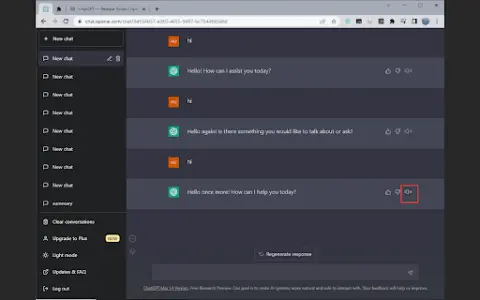
Voice Control ChatGPT is a browser plug-in that allows users to interact with the ChatGPT language model through voice. It leverages Google Chrome's speech recognition and text-to-speech technology to enable users to use voice input and audible replies from ChatGPT. Users can hold down the button to speak their question, release the button to send, and optionally cancel or edit before sending.
How to use Voice-to-ChatGPT ai chrome extension/plugin?
Open the ChatGPT homepage, press and hold the Talk button to speak, and release the button to send your question. You can cancel or edit your entry before sending.
Voice-to-ChatGPT ai chrome extension/plugin core functionality
Voice input to ChatGPT
Text-to-speech output for ChatGPT
Major languages supported
Press and talk function
Related
Mealmind
AI-powered dietary planning tools generate personalized meal plans and shopping lists.
Gustave
The AI kitchen timer app ensures that dishes are cooked at the perfect timing.
RecipeGPT
The Recipe GPT system simplifies the process of finding and organizing recipes.
BeanBook
An AI-powered coffee tracking and note-taking app designed for coffee enthusiasts.
Holy Books AI
An AI-powered application that provides insights from the Quran, the Bible, and the Old Testament.
TheoAssist
Resources for Bible study, preaching, teaching, and Q&A.