AI TOOL / #06413
Audiotext AI
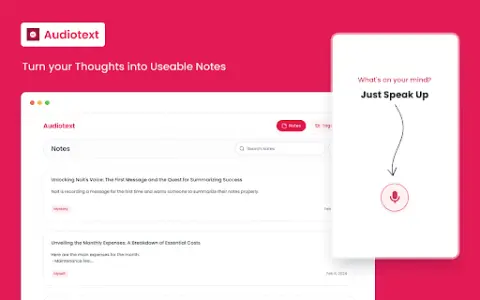
Audiotext AI converts audio to text, removes filler words, and offers multiple transcription styles.
Introduction
Audiotext AI converts audio to text, removing filler words and offering various transcription styles.
What is the Audiotext AI AI Chrome extension/plugin?
Audiotext AI can convert audio into accurate text by removing unnecessary words and generating concise summaries. It allows users to transcribe speech into text, offering multiple styles such as short summaries, bullet points, passive voice, and active voice.
How do I use the Audiotext AI Chrome extension/plugin?
1. Speak naturally, including filler words. 2. Choose a transcription style (short summary, long summary, bullet points, etc.). 3. Click "Transcribe."
Core features of the Audiotext AI Chrome extension/plugin
Audio to text
Remove unnecessary words.
Concise Summary
Rewriting with AI for style adjustment
Shareable note link
Remove unnecessary words.
Concise Summary
Rewriting with AI for style adjustment
Shareable note link
Related
Gupshup
A conversational interactive platform that connects enterprises and customers through multiple channels.
KaneAI
A unified testing cloud for cross-browser, automated, and real device testing, with AI insights.
ClarityAI
An AI-based tool for image enlargement and enhancement, featuring high-resolution output and detailed detail restoration.
Rendair AI Platform
An all-round architectural rendering platform that enables the rapid creation of high-quality visual results.
Visualizee.ai
AI rendering tools transform concepts into highly realistic visual representations within just a few seconds.
ArchiVinci
AI-driven design tools for architectural rendering and design enhancement.