AI TOOL / #06308
YouTube Transcript Generator
Extract and display the subtitles of YouTube videos, making it easy to access and review them.
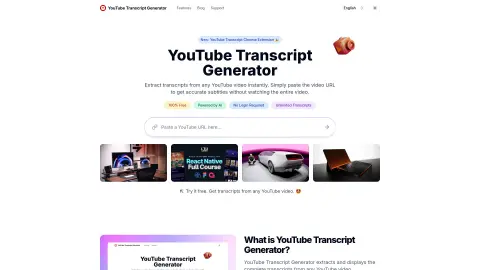
Introduction
Extracts and displays YouTube video transcripts for easy access and review.
What is the YouTube Transcript Generator?
The YouTube Subtitle Generator extracts and displays the complete transcript of any YouTube video. It allows you to quickly access, read, and save the content of a video without having to watch the entire video itself – making it much easier for you to find specific information or review the content at your own pace.
How to use the YouTube Transcript Generator?
1. Copy the URL of the YouTube video. 2. Enter the URL in the input box and click the “Transcript” button. 3. View, search for, or download the transcript in the format of your choice.
The core functions of the YouTube Transcript Generator
Extracting transcripts from any YouTube video
Supports multiple download formats (TXT, DOCX, VTT, SRT).
Provide searchable text transcripts.
Applicable to any publicly available YouTube video.
Provides unlimited access, with no daily restrictions.
No login required
Supports multiple download formats (TXT, DOCX, VTT, SRT).
Provide searchable text transcripts.
Applicable to any publicly available YouTube video.
Provides unlimited access, with no daily restrictions.
No login required
Related
WorldCat
World Library Federation Catalog
What Should I Read Next
Recommend the next book based on your preferences.
Royal Road
Online English novel serialization platform
BookPage
Independent Book Review Magazine
The New Yorker Books
Literature and Book Review Section
Gallica
French National Library Digital Resources Platform