AI TOOL / #04004
Summarize *this* Article
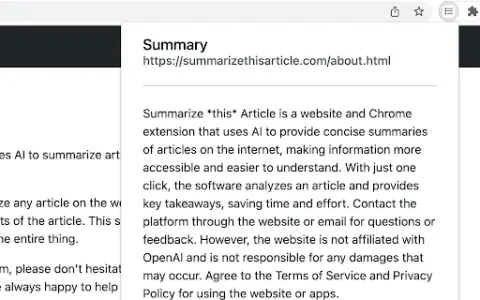
The Chrome extension that uses OpenAI to generate article summaries allows users to customize the length of both the prompts and the generated summaries.
Introduction
Chrome extension using OpenAI to summarize articles with customizable prompts and length.
What is the “Summarize This Article” AI Chrome extension?
In summary, this article describes a Chrome extension that utilizes OpenAI to generate summaries of articles found on the Internet. It allows users to customize the length of the prompts and summaries generated. The user’s API key is securely stored within the Chrome environment.
How to use the Summarize This Article AI Chrome extension?
Install the extension from the Chrome Web Store. After installation, navigate to any article on the Internet and activate the extension. You can customize the prompts and settings as needed; the extension will then use OpenAI to generate summaries for those articles.
Summarize the core functions of this AI Chrome extension/plugin.
Using OpenAI to generate article summaries
Customizable prompts
The length of the summary can be customized.
Storing API keys securely in Chrome
Customizable prompts
The length of the summary can be customized.
Storing API keys securely in Chrome
Related
NetEase Ba Ge Says
AI voice input agent
Speechmark
Mac local AI conference minutes
Qiying AI
E-commerce AI platform for image and video generation
inSai Hilight
AI Agency for E-commerce Marketing Videos
LightReel
UGC Marketing Material Research Tool
Document Metadata Clearing (PixPix)
DOCX/PDF property cleanup