AI TOOL / #02542
Text to Calendar
Browser extensions that allow users to create calendar events by highlighting specific text.
Introduction
Browser extension to create calendar events from highlighted text.
What is Text to Calendar?
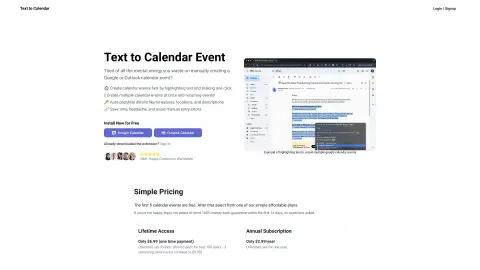
Calendar Text Converter is a browser extension designed to simplify the process of creating events in Google or Outlook calendars. Users can highlight text that contains event details, and the extension automatically fills in the necessary information on the event creation forms – thus saving time and reducing the likelihood of manual input errors. This extension supports the creation of both one-time and recurring events, and it also helps to fill in details such as locations, time zones, and event descriptions.
How to use Text to Calendar?
Install the calendar text conversion extension. It allows you to highlight text on any web page or email that contains details about events. Simply click on the extension icon, and a form for creating Google or Outlook calendar events will be automatically populated. Adjust the details as needed and save the event.
The core functionality of Text to Calendar
Create a Google or Outlook calendar event based on the highlighted text.
Create multiple events at once.
Create a recurring event
Automatically fill in event details such as location, time zone, and description.
Related
NewVoiceLearn
AI voice training to learn foreign languages
The new KugelAudio
Voice synthesis and recognition in mainland Europe
The new 10ML Perfume Finder
Free perfume database MCP service
New Point and Yap
Just point at the screen and speak, and the AI will automatically adjust the interface accordingly.
New ClipMelody
Identifying background music from short videos
New UGCLive
An AI editor that analyzes hit videos and generates UGC content based on those analyses