AI TOOL / #11114
PDFgear
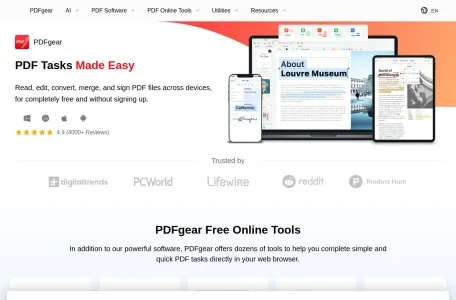
Free PDF software for editing, converting, and managing PDF documents.
Introduction
Free PDF software for editing, converting, and managing PDF documents.
What is PDFgear?
PDFgear is a completely free PDF software that comes without any watermarks and requires no registration. It offers a range of useful functions that enable users to unlock, view, edit, fill out forms, convert, and compress any PDF document. Both a desktop version and online tools are available, allowing for both online and offline PDF editing – including features such as merging, splitting, and converting files. PDFgear is committed to becoming a powerful and user-friendly PDF solution that can meet all users’ needs.
How to use PDFgear?
Users can download software suitable for Windows, macOS, iOS, and Android, or simply use its online tools through a web browser. They can select the functions they need, such as editing, converting, or merging files, and then upload their PDF documents to perform the desired operations.
The core functions of PDFgear
PDF editing
PDF conversion
PDF management
OCR (Optical Character Recognition)
PDF compression
PDF signing
Fill out the form
Related
Whisper Anywhere
Chrome speech-to-text extension based on the OpenAI Whisper API.
Wintermute: AI Web Companion
An AI-powered Chrome extension designed to make web browsing and information retrieval more intelligent.
Speech to Text
A Chrome extension that allows users to create notes with customizable backgrounds and fonts, either by using voice commands or by typing text.
DET Practice
A comprehensive platform for Duolingo English test preparation with AI-driven tools and extensive resources.
VoiceCalc – AI Math Calculator
An AI-powered voice calculator application that enables users to solve mathematical problems instantly via voice commands.
Say, Pi
A Chrome extension for voice interaction with Pi, powered by OpenAI's Whisper and GPT.