AI TOOL / #10085
DALL·E Cli
A command-line tool that allows users to generate, edit, and filter images using the DALL-E 2 API.
Introduction
Command-line tool to generate, edit, and filter images using the DALL-E 2 API.
What is DalleCli?
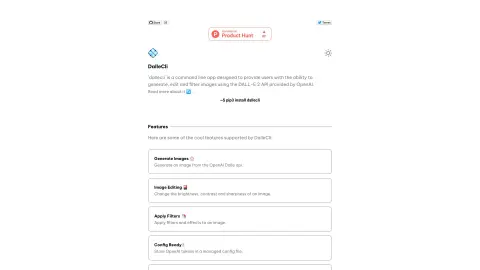
DalleCli is a powerful and easy-to-use command-line tool that utilizes the OpenAI DALL-E API to generate, edit, and filter images. It allows users to create stunning images directly from the command line, apply various effects and filters, and enhance their creativity. DalleCli provides the capability to use the DALL-E 2 API offered by OpenAI for image generation, editing, and filtering purposes.
How to use DalleCli?
Use `pip3 install dallecli` to install DalleCli. Then, use commands such as `generate`, `edit`, and `filter` to create and modify images from the command line, by utilizing the OpenAI token stored in the management configuration file.
The core functions of DalleCli
Generate images using the OpenAI Dalle API.
Adjust the brightness, contrast, and clarity of an image.
Apply filters and special effects to the image.
Store the OpenAI token in the management configuration file.
Adjust the brightness, contrast, and clarity of an image.
Apply filters and special effects to the image.
Store the OpenAI token in the management configuration file.
Related
Magical AI
AI assistants connect to apps/websites to automate workflows and autofill data.
Relevance AI
Relevance AI: Build and manage AI teams to automate business processes.
Doodlify – Doodle Your Images
AI tools instantly transform photographs into vibrant, graffiti-style artworks.
PaintPlanner
A paint calculator application that uses LiDAR technology to provide accurate estimates of the amount of paint required.
Render a House
Quickly and effortlessly convert architectural drawings into realistic renderings.
Mood Board AI
An AI-powered mood board creation tool, ideal for use in design, fashion, and wedding planning.